CYD PC Dashboard
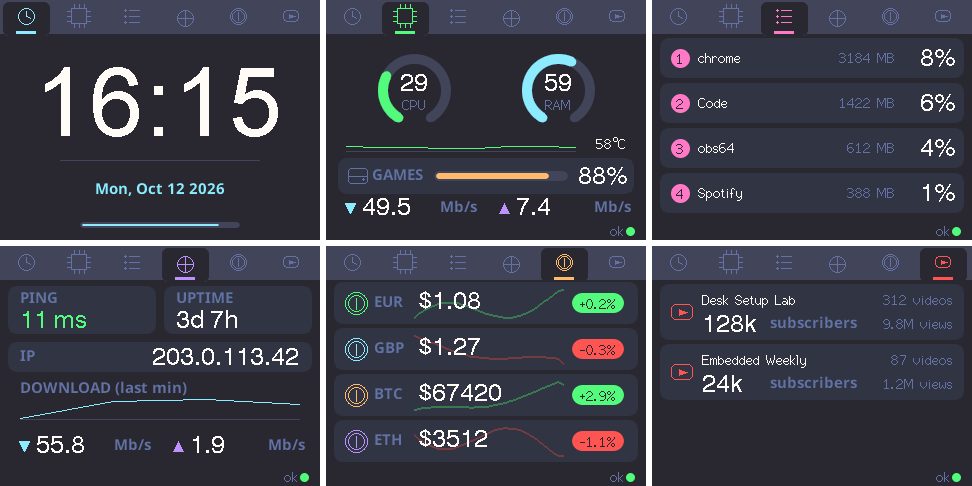
A touch desk companion for your PC on the ESP32 "Cheap Yellow Display": CPU/RAM/disk, top processes, network, market quotes and YouTube stats.
Plug the board in over USB and flash the latest release. Works in Chrome or Edge on desktop.
If flashing fails to connect: hold BOOT, tap RST, release BOOT, then try again. Some CYD boards don't enter download mode on their own.
1. Set it up
Right after flashing, the installer offers Connect to Wi-Fi: pick your network here and the panel joins it. The agent is found on your network automatically, so there's usually nothing else to set. To change the network later, plug the panel in and click the button above again.
Prefer your phone? Skip that step and:
- The panel creates a WiFi network called
CYD-Dashboard. - Join it from your phone and open
http://192.168.4.1. - Pick your WiFi and fill in the agent IP (your PC's LAN address), timezone and language.
To change settings later, hold the screen while the panel boots.
2. Run the agent on your PC
git clone https://github.com/DaviLuisSantos/cyd-pc-dashboard
cd cyd-pc-dashboard
pip install -r agent/requirements.txt
python agent/pc_stats_agent.py
On Windows, agent\install_autostart.bat makes it start with your login. Configure currencies and YouTube channels in agent/config.json.